
Integration with Shopify
How to create a custom app in Shopify and connect your Shopify shop to NetRadar.io price monitoring.
Here you can read how to integrate NetRadar.io price monitoring with your Shopify shop.
Create an API key in Shopify
First, you need to create an API key in your Shopify shop:
- Go to 'Apps' in your Shopify admin.
- Click the 'Develop apps for your store' button.
- Click 'Create an app' at the top right.
-
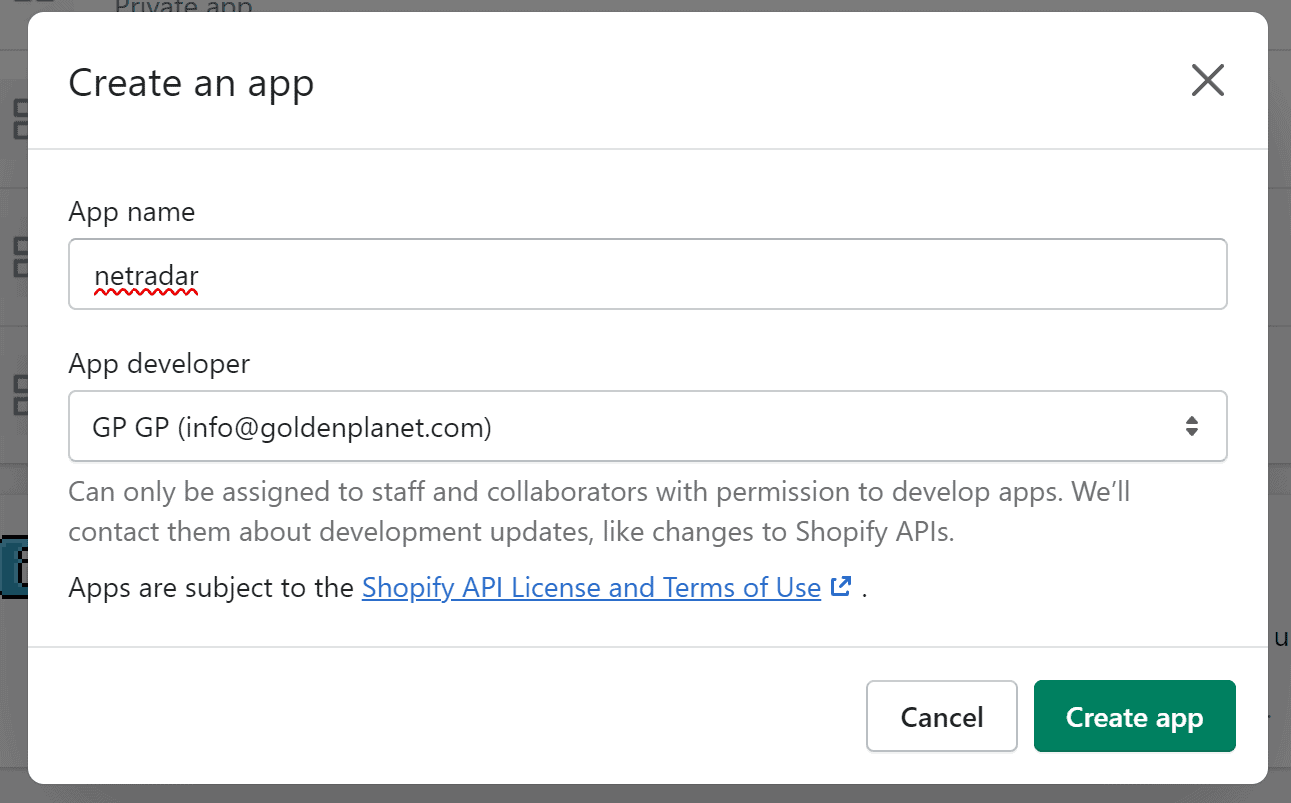
Enter an app name and select the app developer (login/e-mail address).
-
Click 'Create app'.
-
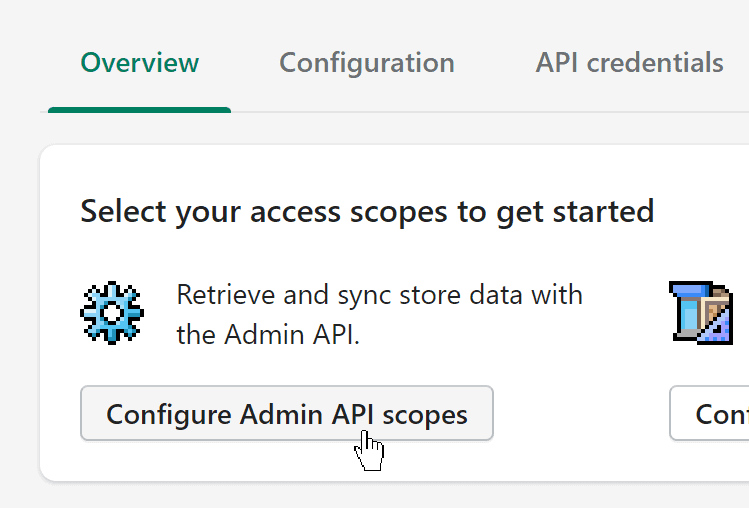
Click 'Configure Admin API scopes'.
-
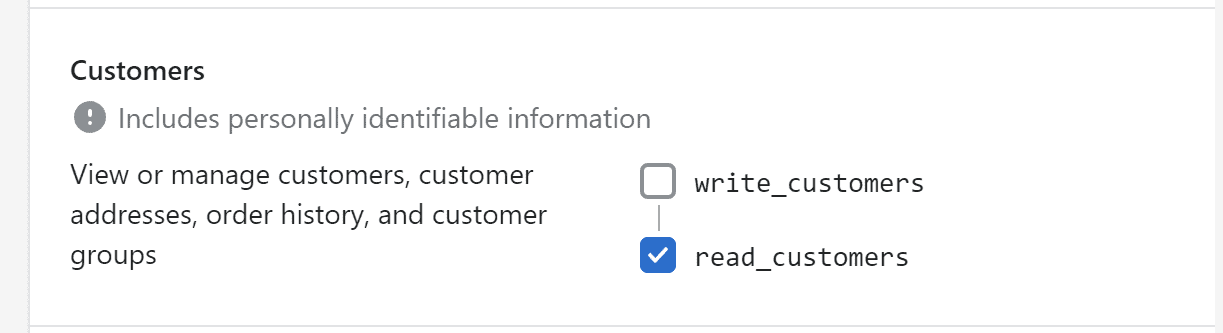
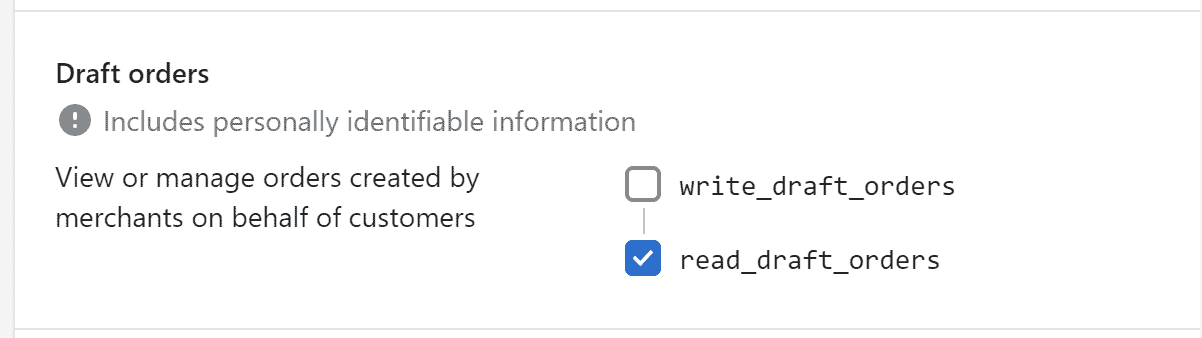
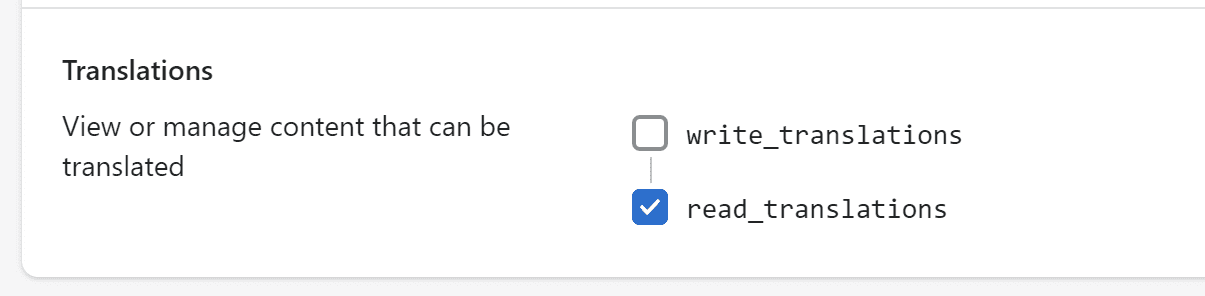
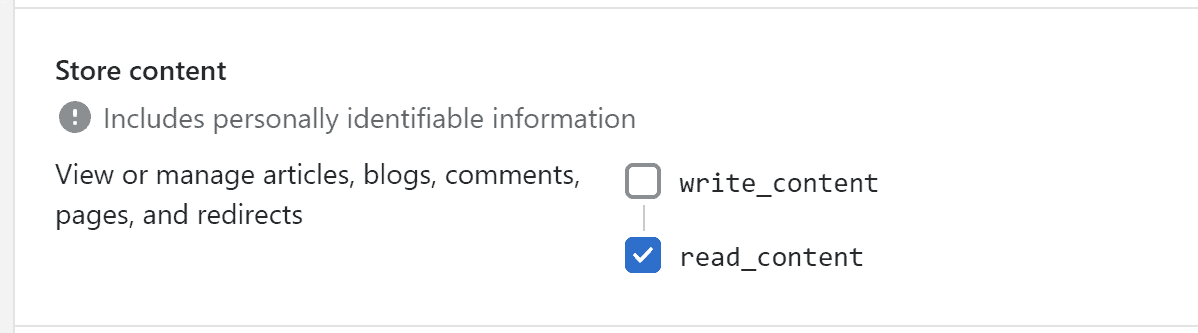
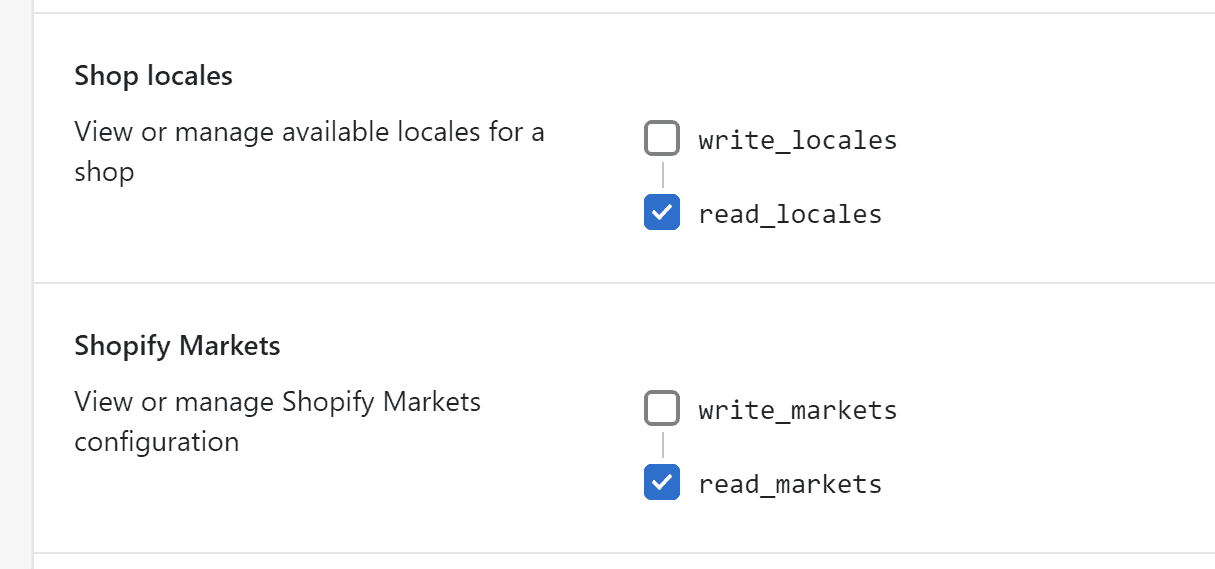
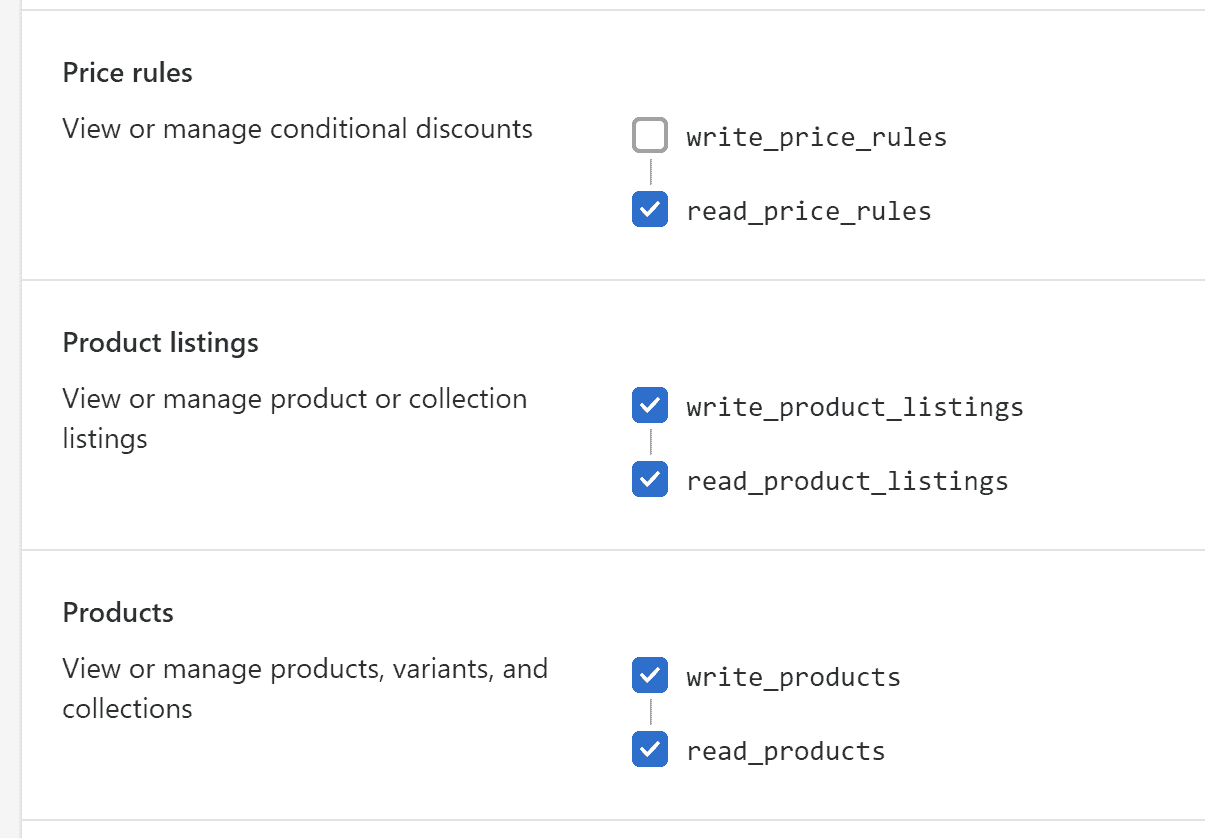
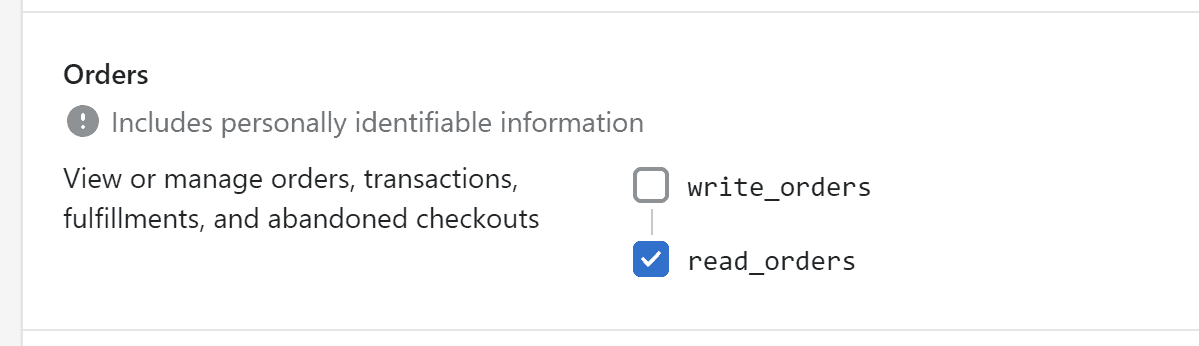
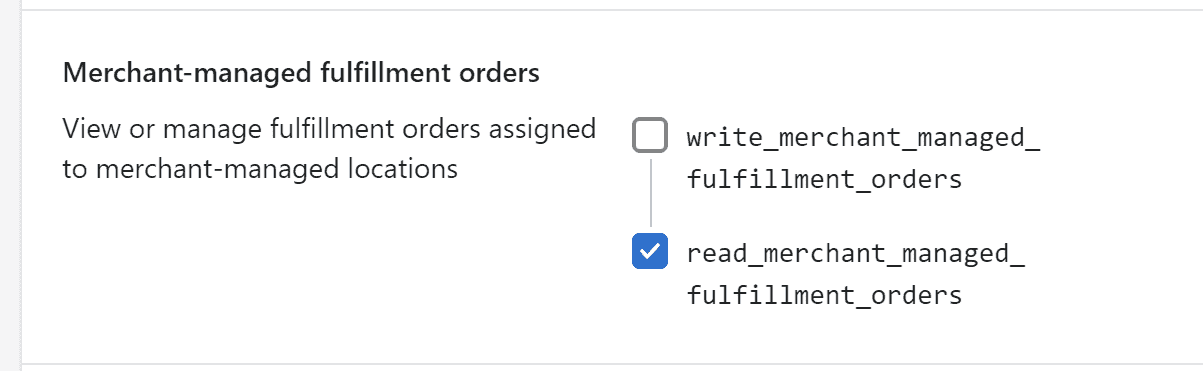
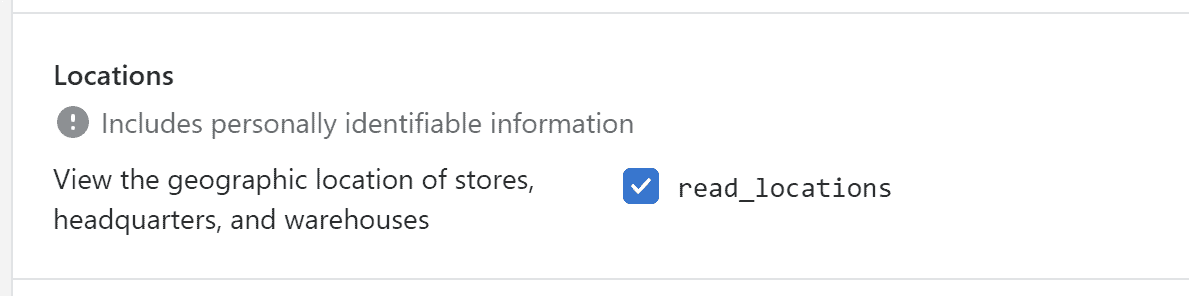
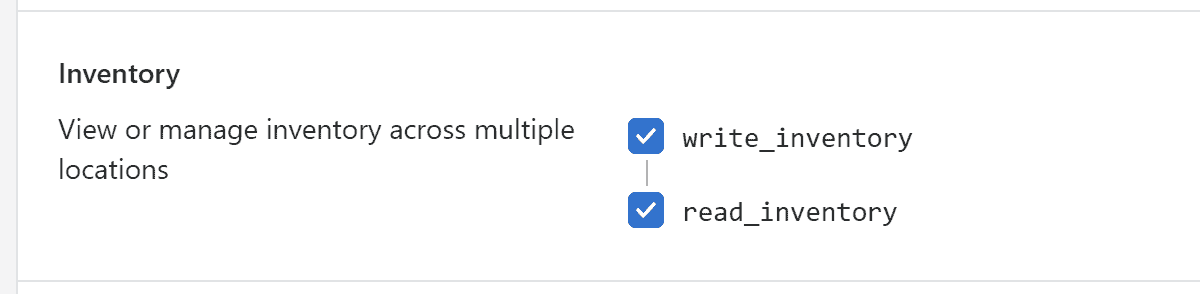
Select the permissions (access scopes) as shown below:
-
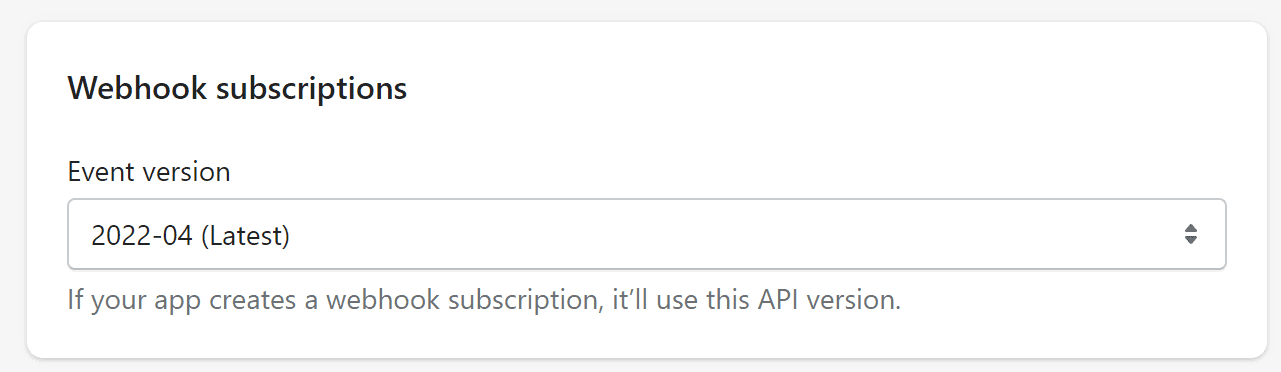
Under 'Webhook subscriptions', select the event version ending in "(Latest)":
-
Click 'Save'.
-
Now go to the 'API credentials' tab at the top.

-
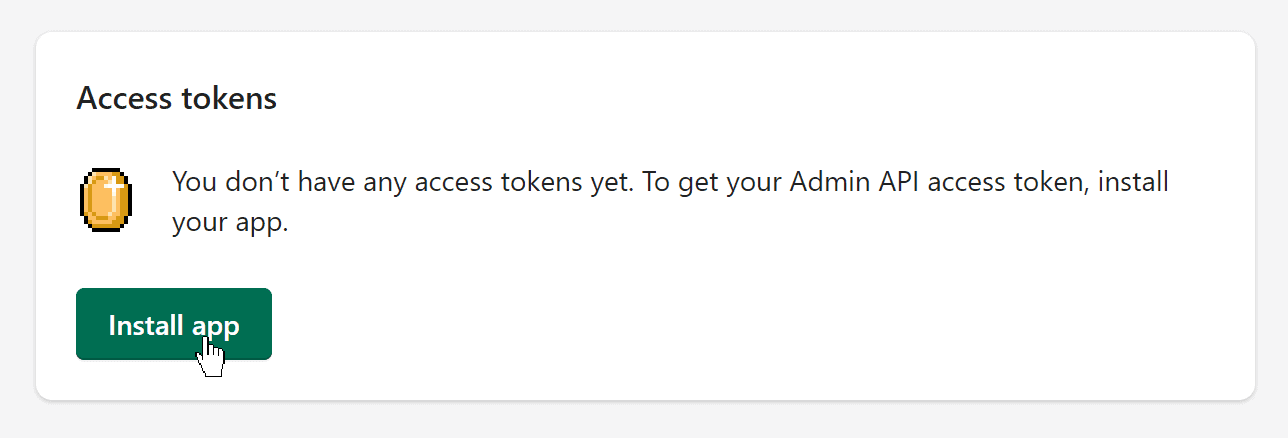
Click 'Install app'.
-
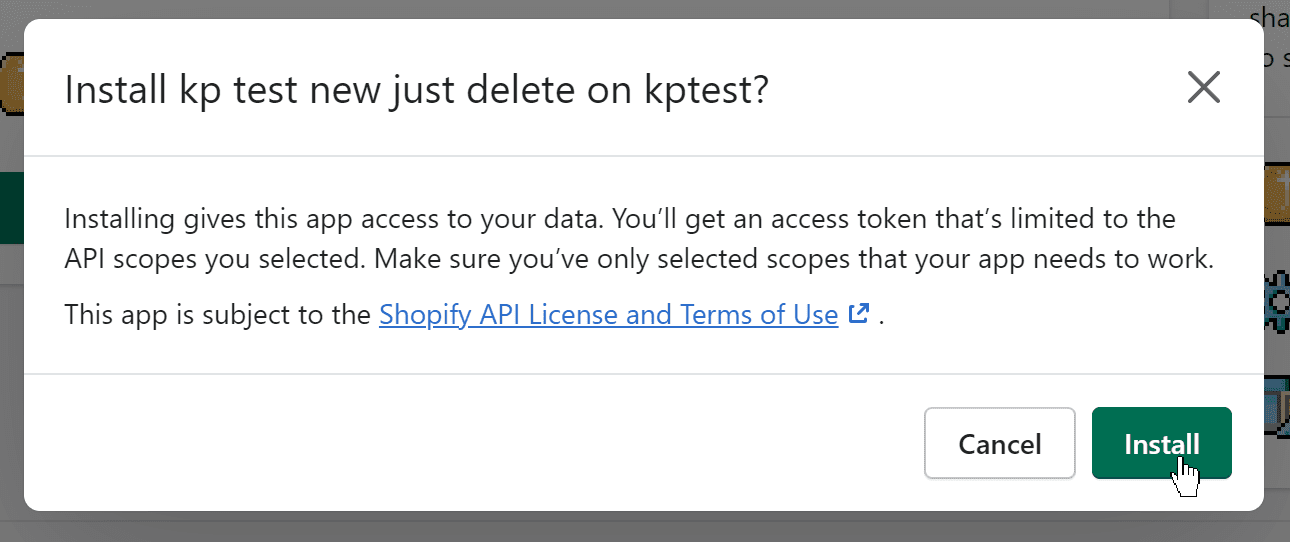
Then click 'Install'.
-
The token (password) has now been created. Click 'Reveal token once' to see it.
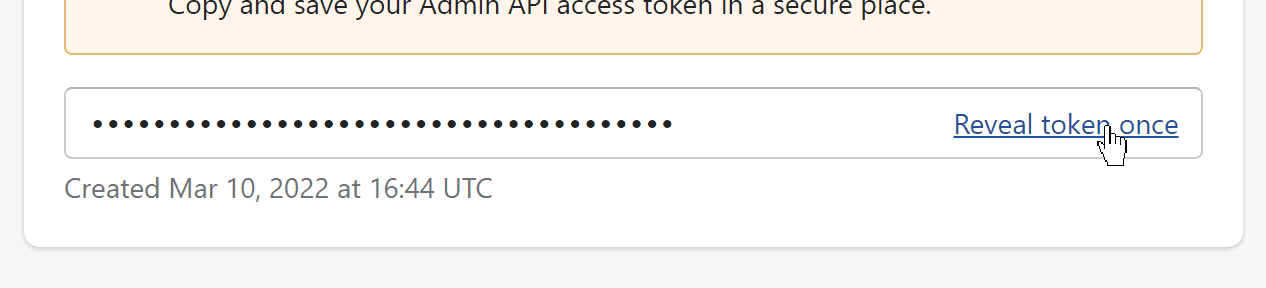
Important: You can only see the token once – save it in a note or document in a safe place if necessary. You must copy this token into the 'API access token' field in your NetRadar.io integration.
-
You also need the 'API key' and 'API secret key' (click the eye icon to show the secret key).
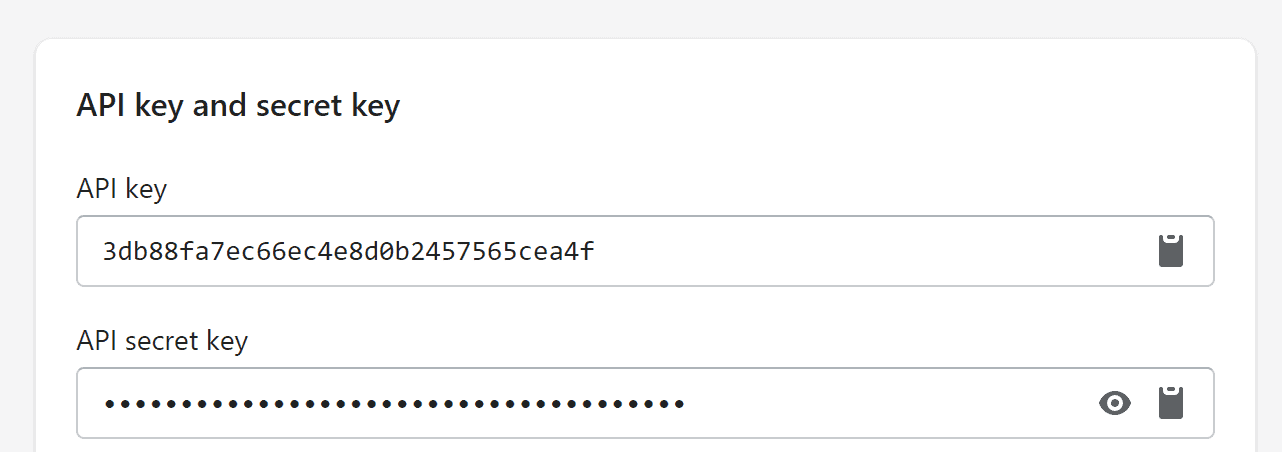
Integrate Shopify with price monitoring
- Open price monitoring in NetRadar.io and go to 'Integration' → 'Platforms'.
- Select 'Enable Shopify'.
- Under 'Domain', enter your Shopify domain – it ends in
myshopify.com, e.g.minshop.myshopify.com. -
Copy the API information over, as in this example:
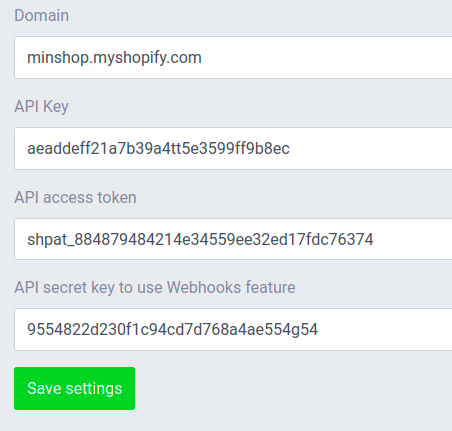
-
Click 'Save settings'.
Your Shopify shop is now integrated, and your products are being imported for price monitoring. How long it takes depends on the number of products – on average about 5 minutes per 1,000 products.
Need help? If you run into an error or need help setting up the integration, contact us at support@netradar.io or call +45 77 34 34 34.