
Integration with DanDomain
How to connect NetRadar.io price monitoring to your DanDomain webshop with an API user.
Here you can read how to integrate NetRadar.io price monitoring with your DanDomain webshop.
Activate the DanDomain integration
- Log in to NetRadar.io price monitoring at https://app.netradar.io/.
-
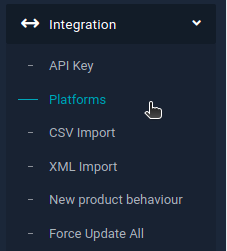
Select the menu item 'Integration' and then 'Platforms'.
-
Click the 'Enable Dandomain' button.
Set up the integration with API keys
-
Enter your domain name, including
http://orhttps://– for examplehttps://minshop.dk.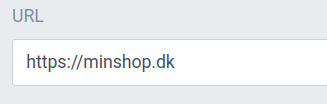
-
Open a new browser window and log in to the administration of your DanDomain webshop.
-
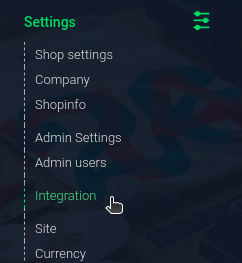
Go to 'Settings' and select 'Integration'.
-
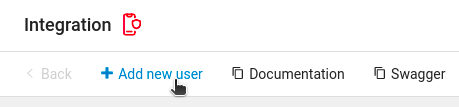
Click '+ Add new user' at the top.
-
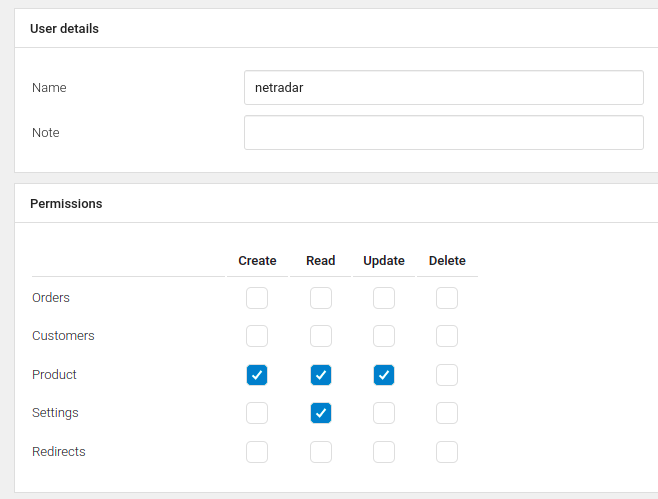
Enter a name for the user and give it Create, Read and Update access to 'Product'.
-
Click 'Save' at the top.
-
The new API key is now shown. Click the icon next to it to copy it.

-
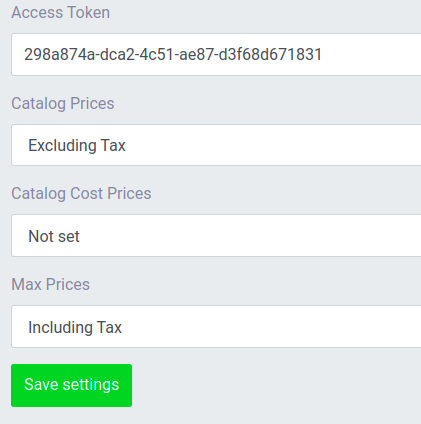
Go back to the setup in NetRadar.io and paste the API key into the 'Access Token' field.
-
Choose whether your prices in DanDomain are stated with or without VAT. The default is with VAT.
- Click the green 'Save settings' button in NetRadar.io.
- If the API user works and a connection is established, you will see a status page confirming that the integration is activated.
Your products are now being imported for price monitoring. How long it takes depends on the number of products – on average about 5 minutes per 1,000 products.
Need help? If you run into an error or need help setting up the integration, contact us at support@netradar.io or call +45 77 34 34 34.