
Integration with Scannet
How to connect NetRadar.io price monitoring to your Scannet webshop via the Scannet API.
Here you can read how to integrate NetRadar.io price monitoring with your Scannet webshop.
Activate the Scannet integration
- Log in to NetRadar.io price monitoring at https://app.netradar.io/.
-
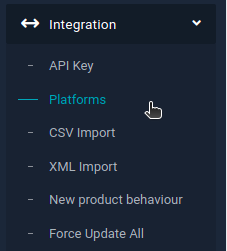
Select the menu item 'Integration' and then 'Platforms'.
-
Click the 'Enable Scannet' button.
Set up the integration with the API
-
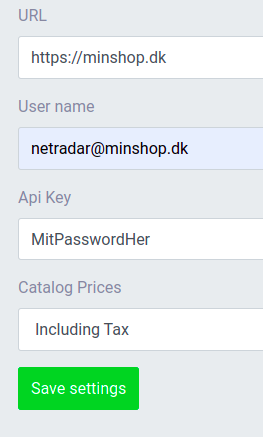
Enter your domain name, including
http://orhttps://– for examplehttps://minshop.dk.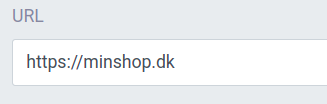
-
Open a new browser window and log in to the administration of your Scannet webshop.
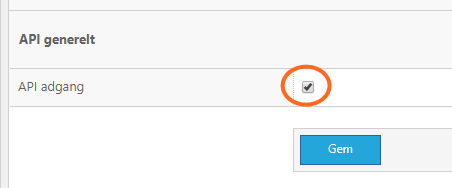
- Go to 'Control Panel' and select 'API'.
-
Check that API access ('API adgang') is enabled. If it is not, tick the box and click 'Gem' (Save).
-
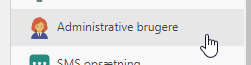
Now go to 'Administrative brugere' (Administrative users) – also under 'Control Panel'.
-
Click 'Opret administrator bruger' (Create administrator user) at the top right.
-
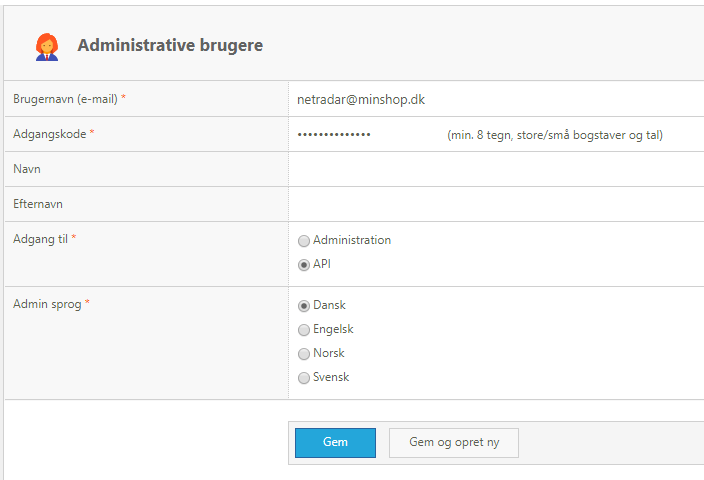
Enter an e-mail address and a password. If you don't have an e-mail address that isn't already used by another user account, you can enter a fictitious one. Under 'Adgang til' (Access to), select 'API'. Then click 'Gem' (Save).
-
You should now see a confirmation that the user has been created, like this:

-
Go back to the setup in NetRadar.io and enter the e-mail address as the user name and the password as the API key.
-
Click the green 'Save settings' button in NetRadar.io.
- If the API user works and a connection is established, you will see a status page confirming that the integration is activated.
Your products are now being imported for price monitoring. How long it takes depends on the number of products – on average about 5 minutes per 1,000 products.
Need help? If you run into an error or need help setting up the integration, contact us at support@netradar.io or call +45 77 34 34 34.