
Import products from an XML/shopping feed
All you need is the web address of your product feed – typically the same one you already use for Google Shopping, PriceRunner etc.
All you need here is the web address of your product feed – typically the same one you already use for Google Shopping, PriceRunner etc.
Set up the XML feed
- Log in to NetRadar.io price monitoring at https://app.netradar.io/.
-
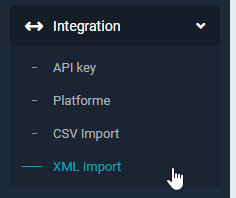
Go to 'Integration' in the menu and select 'XML Import'.
-
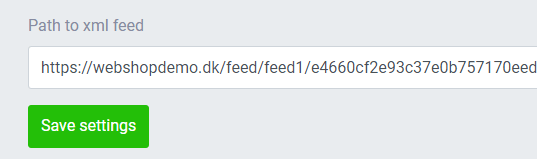
Paste the URL of your feed (e.g. your Google Shopping feed) into the 'Path to xml feed' field and click 'Save settings'.
-
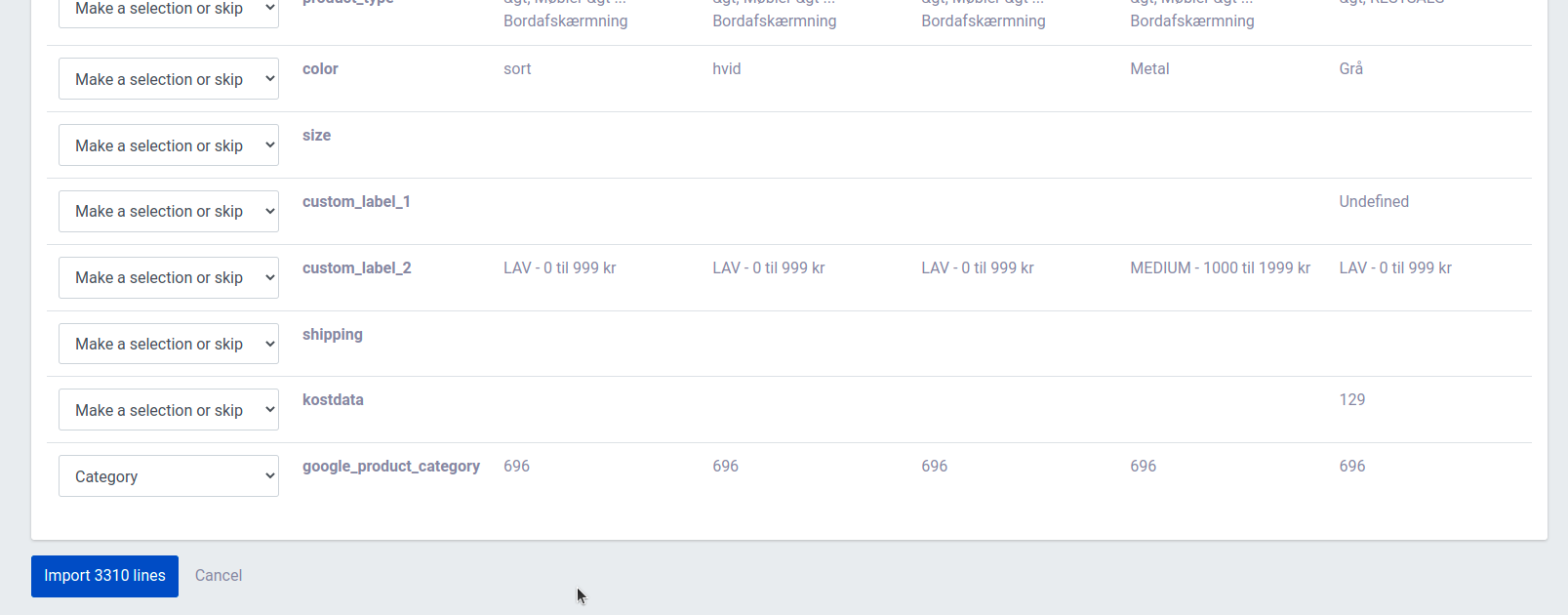
Make sure the columns in your feed are mapped correctly. The most important fields may have different names in your feed, but they must match the required data:
-
Click the blue 'Import X lines' button to start the import.
The import of your products now begins. It typically takes about 5 minutes per 1,000 products.
When the import is done, you can enable the products for monitoring.