
Enable products for monitoring
Choose which products NetRadar.io should monitor – one at a time or many at once – and learn how long it takes before data arrives.
Once your products have been imported, you choose which of them NetRadar.io should monitor.
Enable monitoring
- Open price monitoring and go to 'Products'. Here you will see all the products from your webshop.
-
Click 'Enable monitoring' for the products you want to monitor. Note that there is a maximum number of products you can monitor at a time.
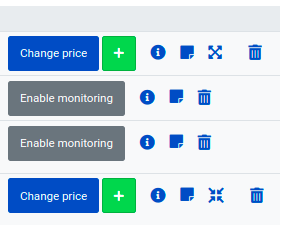
When you enable monitoring for a product, the system starts looking for competitors and prices. It can take up to 6 hours before anything happens.
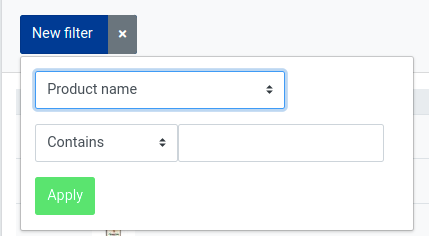
You can use filtering to find the products you want to monitor:
Enable many products at once
Instead of selecting products one at a time, you can select several – or all – at once.
-
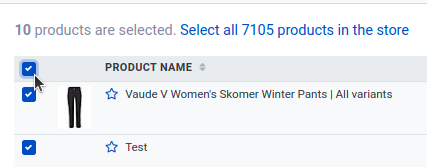
Tick the checkbox in the top left corner to select all products on the current page. You will then get the option to select all products in the store.
-
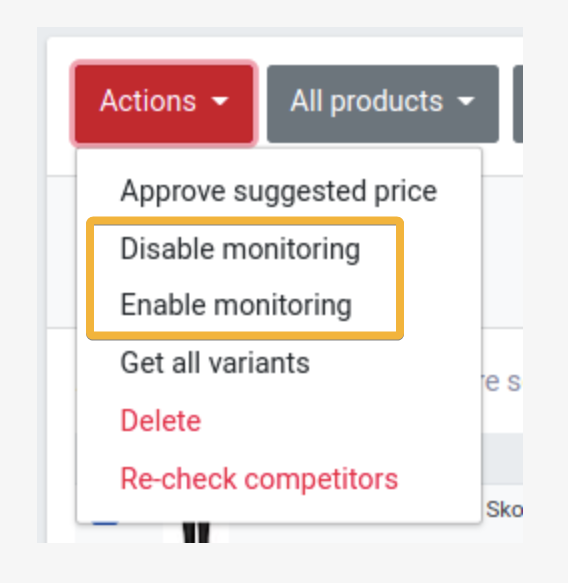
When the products you want are selected, open 'Actions' at the top and choose 'Enable monitoring' or 'Disable monitoring'.
How long does it take?
Once monitoring is enabled, the system's robots and algorithms start collecting information about your competitors.
The time it takes to gather data varies and often depends on the traffic on the websites involved. The first results can sometimes be available within a few minutes.
We do, however, recommend allowing a day for complete results – our robots work most efficiently overnight.