
Integration with Magento 2.x
How to connect NetRadar.io price monitoring to your Magento 2.x webshop with an integration access token.
Here you can read how to integrate NetRadar.io price monitoring with Magento version 2.x.
Note: If you have Magento 1.7, 1.8 or 1.9, use this guide instead.
Get an access token
First, create an access token in your Magento shop:
- Log in to the administration of your Magento shop and go to 'System' → 'Integrations'.
- Click 'Add New Integration' in the top right corner.
- On the 'Integration Info' tab, enter a name – e.g. Price monitoring – and your password.
-
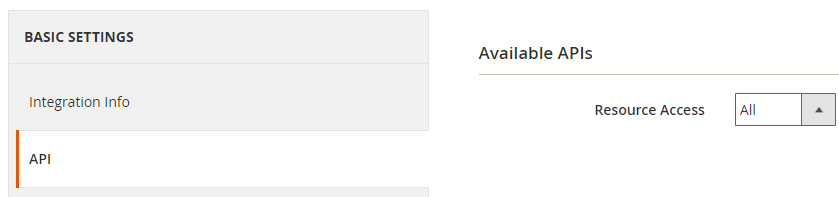
On the 'API' tab, set 'Resource Access' to 'All'.
-
Click 'Save' in the top right corner.
Use the value called 'Access Token' for the integration in NetRadar.io.
Integrate your Magento shop with price monitoring
- Open price monitoring in NetRadar.io and go to 'Integration' → 'API'.
- Select 'Enable Magento'.
-
When the integration is activated, enter your domain name and your access token – and, if relevant, the field names you use for barcode and/or brand.
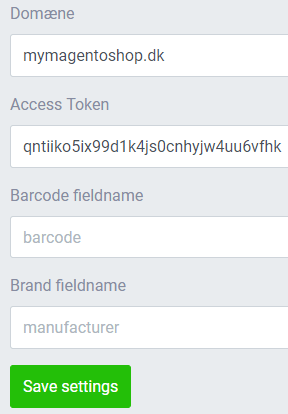
If you have created attributes for 'Barcode' and/or 'Brand/Supplier' on your products, they can be imported automatically into NetRadar.io price monitoring – you just need to enter the names you have given them. If you have not created these attributes, simply leave the fields empty.