
Support
Integration with Shopify
Create API key
You must first have created an API key in your Shopify shop.
Go to 'Apps' from your Shopify admin.
Click the 'Develop apps for your store' button
Click on 'Create an app' at the top right.
Enter an app name and login/email address
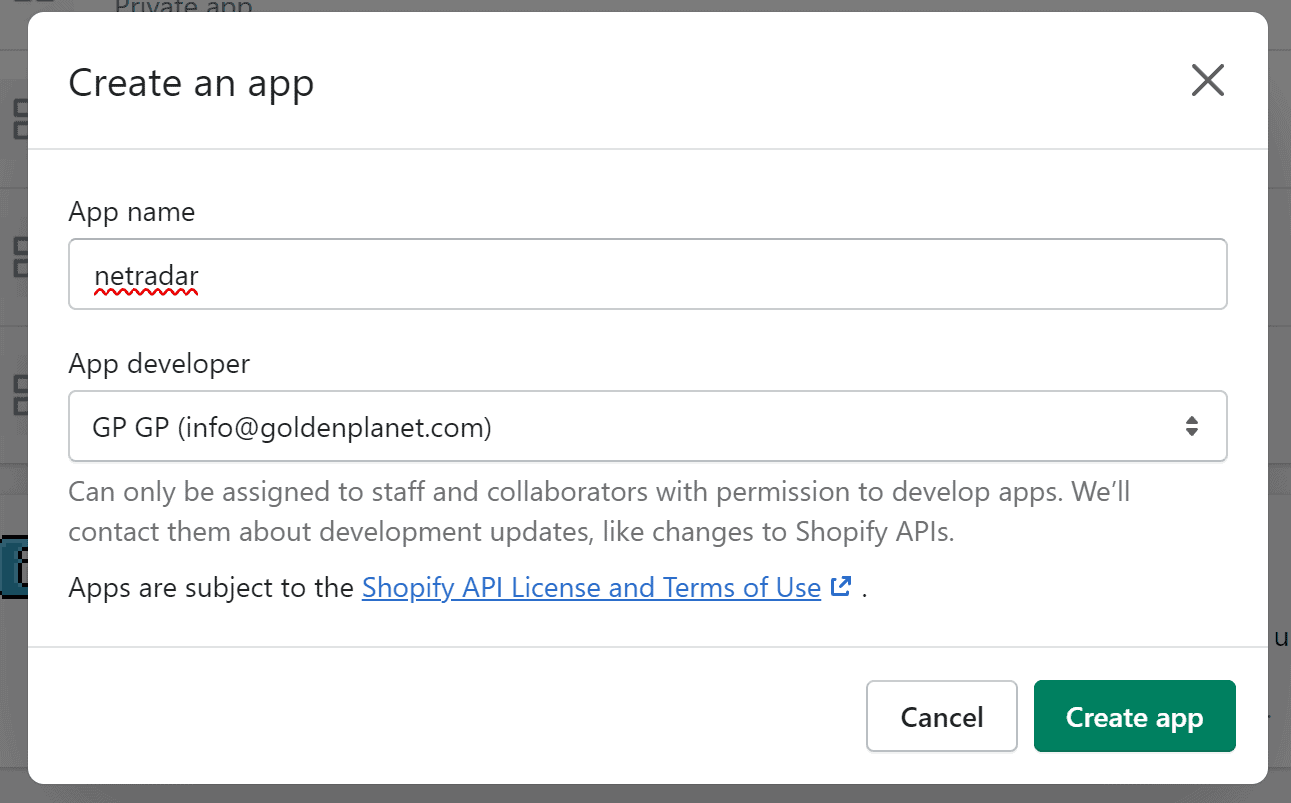
Click on 'Create app'
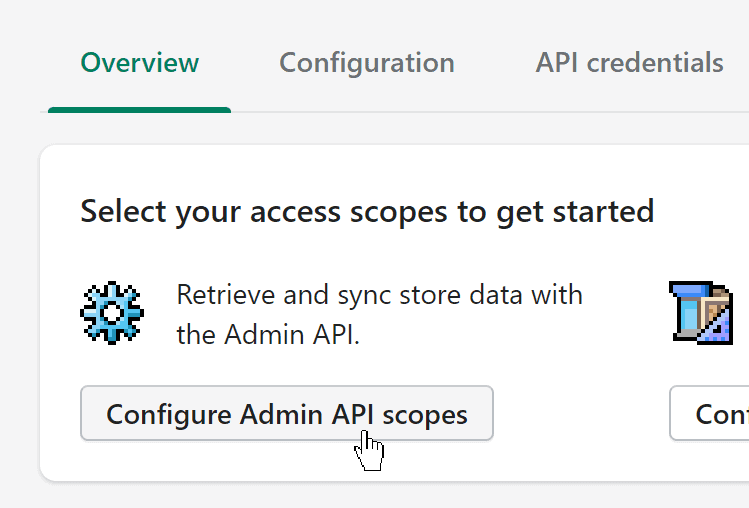
Click on 'Configure Admin API scopes'
Then you choose permissions like these:

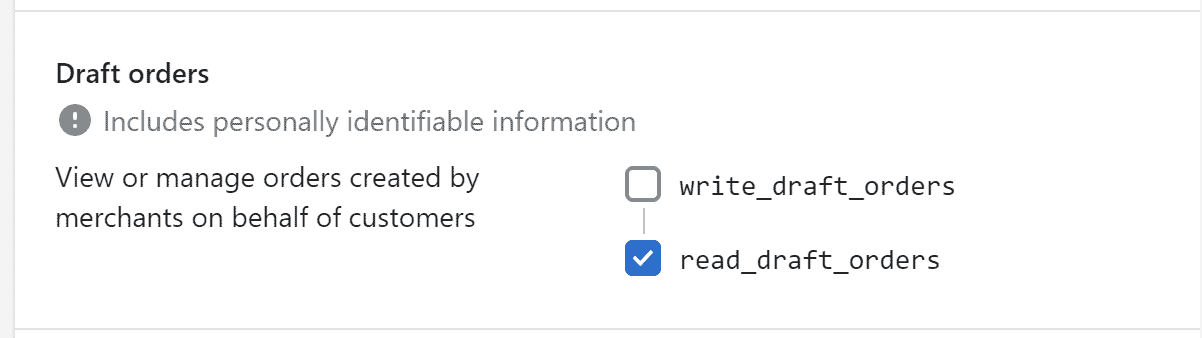


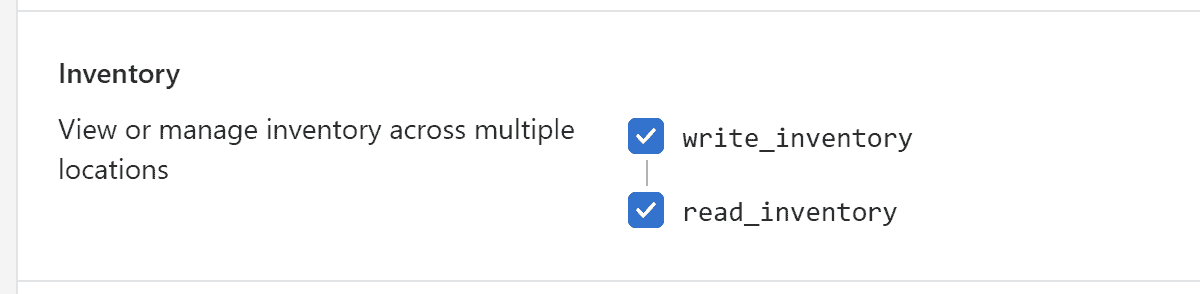
For 'Webhook subscriptions', select the one with "(latest)" at the end:
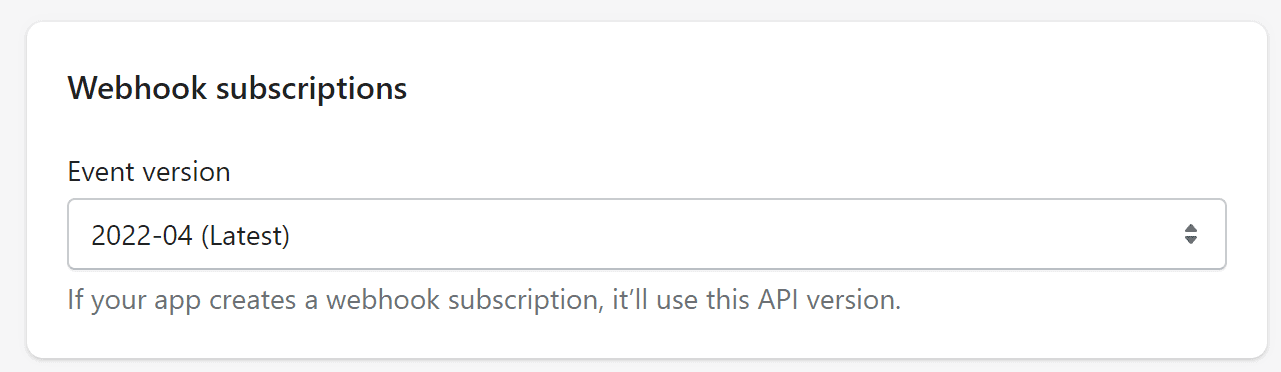
Click on 'Save'.
Now go to API credentials at the top

Click on 'Install app'

And then 'Install'

Token/password is now created - click 'Reveal token once' to see it

IMPORTANT: You can only see it once - if necessary, save it in a note/document in a suitable place. You must copy this token as a password in your NetRadar integration.
You also need the API key and API secret key (click on the icon with the eye to see the latter)

Integrate Shopify with the price monitoring
Open the price monitor and go to 'Integration' -> 'Platforms'
Here you select 'Enable Shopify'
Under domain, you must write your shopify domain – it ends at myshopify.com – so e.g. minshop.myshopify.com
Then copy the API information over – like this example:
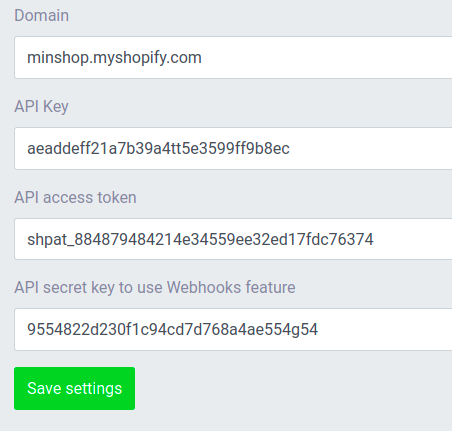
Press 'Save settings'.
Now your shopify shop is integrated.
Should you encounter any errors or require assistance, please contact us at support@netradar.io or call +45 77 34 34 34. Your products are now being processed for price monitoring.
The duration depends on the quantity, with an average of approximately 5 minutes for every 1000 products.