
Support
Advice and answers from the NetRadar.io team
Integrations
Product import
Enable products for monitoring
Product import
Import of products from XML/shopping feed
The only thing you need to use here is the web address of your product feed – typically the same as you already use for Google Shopping, PriceRummer, etc.
Set up XML feed
- Log in to Netradar.io price monitoring at https://app.netradar.io/
- Navigate to 'Integration' from the menu, and then select 'Platforms'
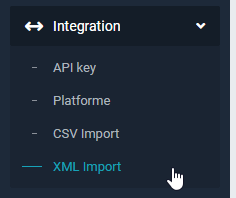
- Paste the URL of your Google Shopping feed into the provided field.

- Ensure the columns in your feed are correctly selected. The most important fields in the feed might have different titles but should correspond to the necessary data:

- Click on the blue 'Import X lines' button to start the import process.
The import of products will now begin. The process typically takes about 5 minutes for every 1000 products.