
Add and remove competitors
Ignore competitors you don't want to include, mark important competitors as favourites, and add competitors yourself.
Once you have enabled products for monitoring, NetRadar.io searches for competitors in the selected market/country.
Among the competitors found, you can deselect those you don't want to take into account in your pricing and strategy. Competitors that need extra focus can be marked as "favourites". You can also add more competitors yourself.
Ignore competitors
You can deselect (ignore) competitors, so that they:
- no longer appear in product lists
- are not included in the standard export
- are not included in price calculations
You can always undo this and activate a competitor again.
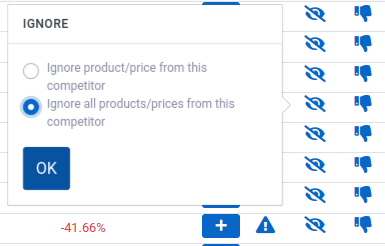
The easiest way to remove a competitor is to expand the product list on a product where the competitor appears. Click the icon with a crossed-out eye next to the competitor you want to ignore, then choose whether it should apply to the current product only or to all products from this competitor:
The competitor will then be shown under the product like this:
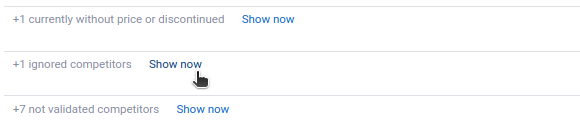
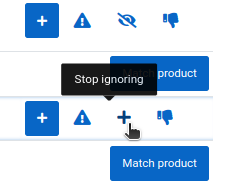
Click 'Show now' to see the names of the competitors being ignored. To bring a competitor back, click the plus icon ('Stop ignoring') on the far right next to the name:
Competitors with extra focus ("favourites")
Competitors you want to keep a close eye on can be marked as "favourites". You can then:
- filter out all products where they are present
- calculate prices based solely on these competitors' prices
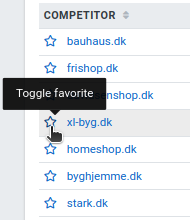
There are (at least) two places where you can mark a competitor as a favourite. The first is the list of competitors ('Competitors' in the menu):
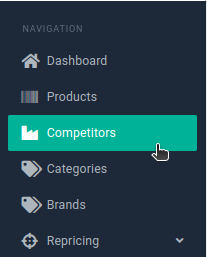
Here you can mark each competitor with the star next to its name ('Toggle favorite'):
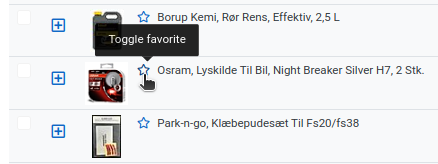
The second is the product list, next to the individual competitors:
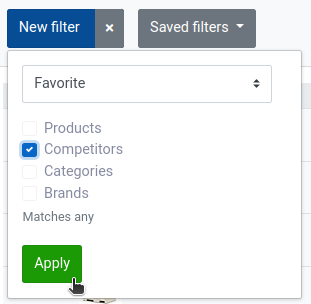
Using filtering, you can now choose to see only "favourite" competitors – both in the list of products and in the list of competitors:
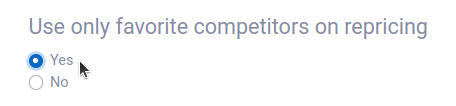
And in repricing, you can choose that a price calculation should use only your favourites:
Add competitors yourself
- Log in to NetRadar.io price monitoring. Here you can see a list of the products being monitored.
-
NetRadar.io has automatically found the competitors it knows about – but if you know of others, you can add them manually. Click the green plus icon ('Add competitor') on the right-hand side, next to the product you want to add the competitor to.

-
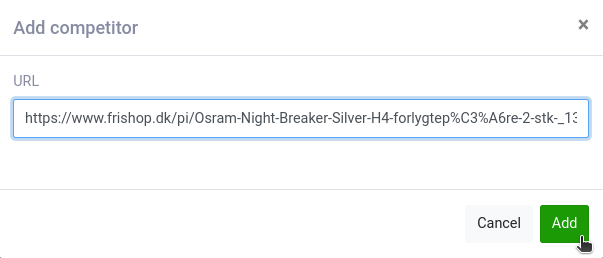
Enter the URL of the product on the competitor's website. It must be the link that leads directly to the competitor's product page. Be aware that if you find your competitor's products via Google, "extra" information may be attached to the URL – it is a good idea to remove it and use the direct link instead.
-
Click 'Add'. The competitor now appears in the list of competitors for that product.
Note: Pages that show more than one price for the product – for example other price comparison sites – are not valid competitors.