
Support
Remove products
Not all webshop platforms are equally good at sending a stable signal via integration when products are deleted.
Therefore, we do not automatically delete products, but instead create a list of products that are detected as not being in your webshop anymore.
You can then check it as desired, and then delete all or selected ones.
If you delete a product that turns out to be still active, don't worry - you can always retrieve it in your Netradar.io account again.
See the list of current products
First go to 'Products' via the menu on the right
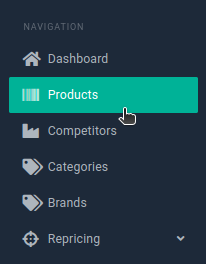
Click on the drop-down menu at 'All products' and select 'Products discontinued from my shop'

Check whether products are to be deleted
If, for example, products have been given a new ID in your webshop, it may look like active products are shown in the list here with discontinued products - not least if the web address is still the same.
A good way to check is to switch the list of products back to 'All products' and filter the list by the title of the product. See here how you can filter
Select all or selected in the list and delete them
You can select individual products to be deleted by marking the checkbox/tick on the far left of each product - or you can select all of them by clicking on the checkbox/tick at the top of the list here:

Then click on the link titled “Select all X products in the store”

And now at the top of the button and 'Actions' and there 'Delete'

If you got too many deleted
If you have created products via CSV import: Run a new import with your products
If you use integration via XML product feed: The products will be automatically retrieved at the next update (typically every 6 hours)
If you use native integration for platform: Wait for next update or download all now like this:
Go to 'Integration' and 'Platforms'
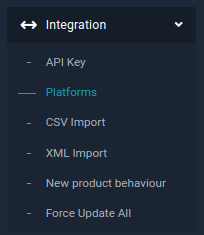
Click on 'Force update now'

Depending on the total number of products, it may take a while before they are all picked up. You must then activate current products for monitoring again.