Support
Price positions
Based on your price in relation to the cheapest competitor, you can, for example, see your position in the product list in relation to:
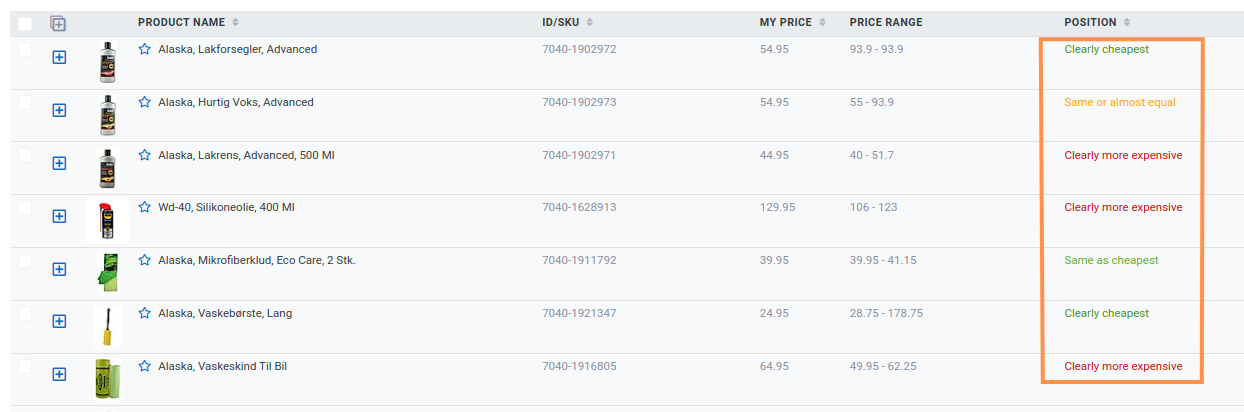
Positions are named based on the calculation of your price and percentage distance to the cheapest based on the following:
Clear cheapest: More than 9% below cheapest
Slightly cheaper: 5 to 9% below cheapest
Same as cheapest: +/- 0 exactly the same price as cheapest
Same or almost equal: +/- 5%
Slightly more expensive: 5-9% above cheapest
Clearly more expensive: More than 9% above the cheapest
You can filter on these positions by clicking 'Add filter'

Then select 'Position' and select the products you want to see with the respective positions

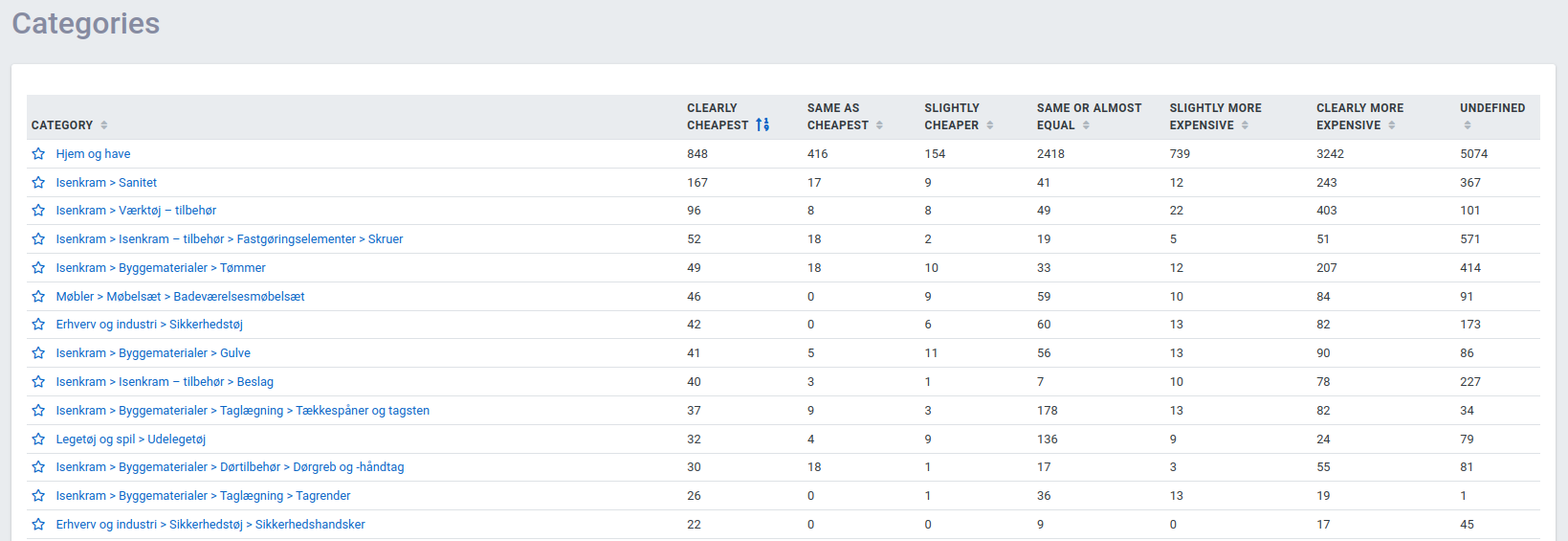
You can also see in the overviews with competitors, categories and brands how many products you have in relation to each of them with the individual positions – here, for example, categories: