
Support
Add/remove competitors
Once you have activated products for monitoring, NetRadar.io will search for competitors in the selected market/country.
Among the competitors that exist, you can choose from those that you do not want to take into account for your pricing and strategy.
Competitors who need extra focus can be marked as "favorites".
You can also add additional competitors yourself.
Ignore competitors
You can choose competitors from so they
- No longer appearing in product lists
- Not included in standard export
- Not included in price calculations
You can always undo and activate a competitor again.
The easiest way to take out a competitor is by unfolding the product list on a product where the competitor is included:

Click on the icon with an eye and cross out next to the competitor you want to ignore.
Then choose whether it should be on the current product or all.
The competitor will then be visible under products like this:

Click “Show Now” to see the names of competitors that are being ignored. To take the competitor asset back, you can click on the plus symbol on the far right next to the name

Competitors with extra focus ( “ favorite ” )
Competitors that you can easily focus on can be marked as "favorite". After that you can
- Filter out all products where they are active
- Calculate prices based solely on these competitors' prices
There are two places (minimum) where you can mark a competitor for this. The first is from the list of competitors
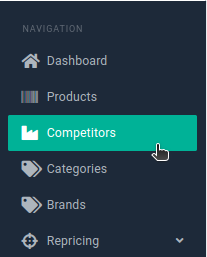
Where you can mark next to each name via the star

The second is from the product list next to the individual competitors

You can now via filtering - both in the list of products and competitors - choose to only see "favorite" competitors:
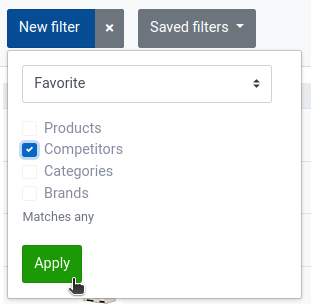
And in repricing you can choose that a price calculation should only use them

Add competitors yourself
Login to your 'Price Monitoring' app.
Here in the app you can see a list of the products that are monitored.
The app has automatically found the competitors it immediately knew, but if you know of others, you can manually add them yourself.
You do this by pressing the cross on the right-hand side, next to the product you want to add the competitor to.

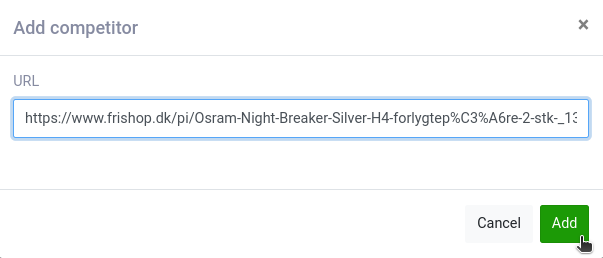
Here you must enter a URL for the product on the competitor's site.
It must be the path that links directly to the product page of your competitor. Be aware that if you find your competitor's products via Google, there may be 'extra' information attached to the URL. This is a good idea to remove, and then take the direct link instead.
Then click add and you will be able to see it in the list of competitors for that product.
Please note that competitors who have more than 1 prize are not valid, e.g. other price comparison sites.