
Support
Advice and answers from the NetRadar.io team
actions with products
Actions with competitors
Actions with products
Filtering of products
Filter your products for further actions
Capabilities of Product Filtering
- Selective Viewing: View a specific subset of your products based on chosen criteria.
- Saving Filters: Create and save custom filters for future use and for generating email reports.
You can filter your products based on various parameters such as:
- Price comparison (e.g., products priced a certain percentage higher than the cheapest in the market).
- Brands.
- Categories.
- Stock status.
- Item numbers.
- And more.
The filter option is located at the top of your product list.

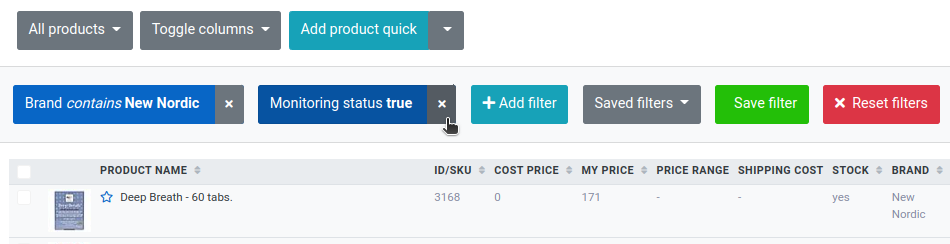
Multiple filters can be applied simultaneously. Filters can be individually removed or completely reset as needed:
Saving Filters
You can save filters that you often use and thus easily retrieve them again. Once the filtering is selected, simply click on the 'Save filter' button:

Name your filter for easy identification:

Access saved filters under the 'Saved filters' section.
This functionality allows for efficient product management, enabling you to quickly access and analyze subsets of your product inventory based on specific criteria.