
Reset the competitors of a product
Remove all automatically found competitors on a product and start a fresh search – for example after correcting a GTIN/EAN barcode.
If the wrong competitors were found for a product, or you want a "fresh start" on a product for some other reason (for example after correcting a GTIN/EAN barcode), you can easily remove all current competitors from the product and start a new search for competitors.
-
Find the product in the list of products ('Products' in the menu). You can use filtering to search for it.
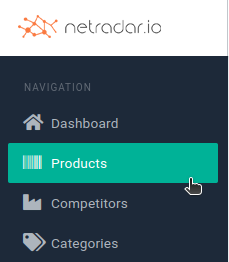
-
On the far right of the product, click the "i" icon ('Details') to go to the product's details page.

-
Open 'Actions' and click 'Reset competitors'.
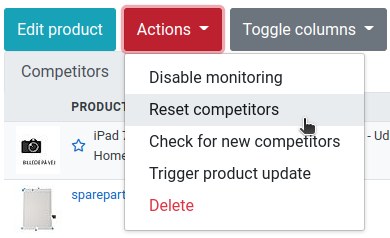
All competitors that were previously found via automatic matching are now removed. If you have added any competitors manually, delete them by clicking the trash can icon next to the competitor in the list of competitors.
The new search for competitors can take anywhere from a few minutes to several hours, depending on how busy the servers are.